
← Konnect Software Suite

Free + Full · Windows 10/11 x64 · v1.0.0

KonnectNetworkScan

OT subnet discovery and site survey reporting

On-prem Windows subnet discovery for OT networks. Free forever for unlimited /24 scanning and results. Activate Full for Map, Sites, and branded PDF/CSV/HTML site survey deliverables.

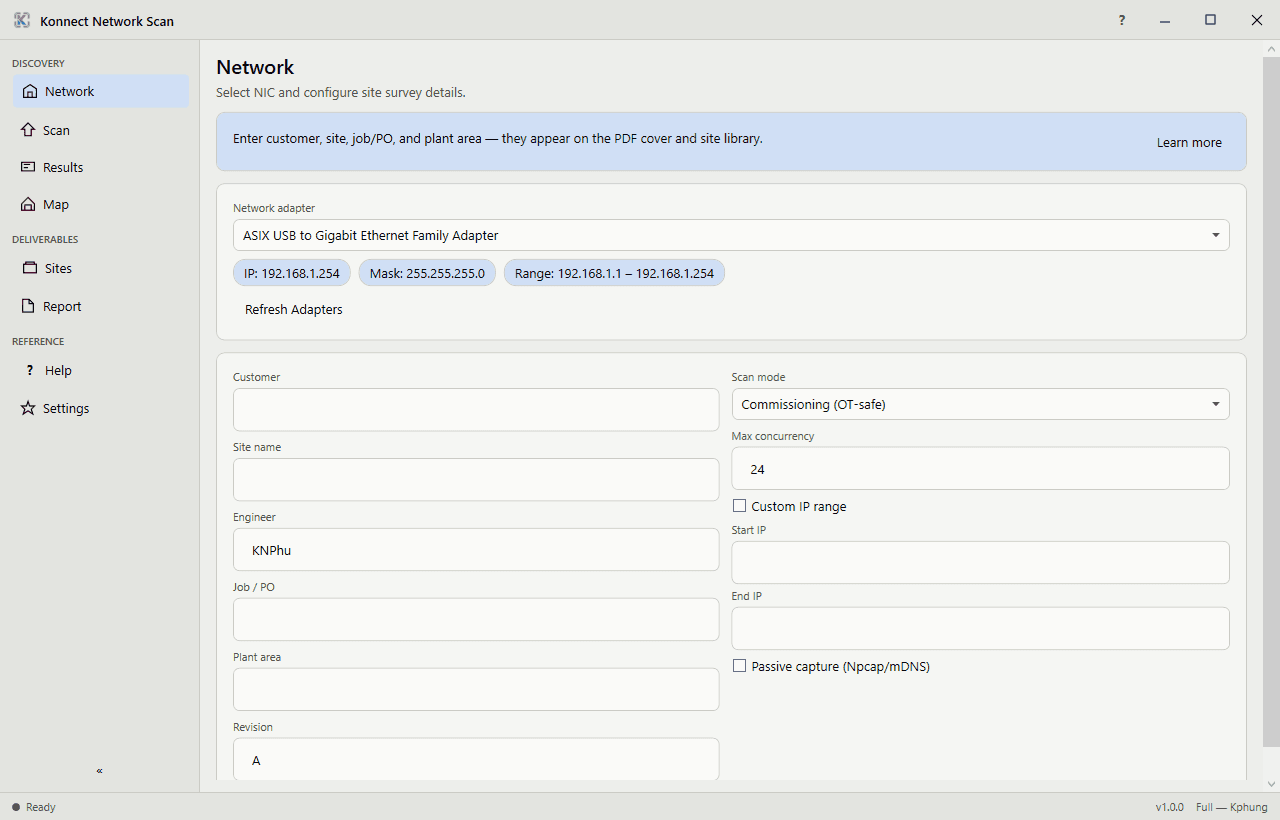
KonnectNetworkScan NIC selection and site survey setup

Capabilities

  • Permanent Free edition: full /24 scan and results—no host cap, no time limit
  • OT-safe ARP/ICMP discovery with industrial port probes (44818, 2222, 502, 161, and more)
  • CIP List Identity and 35+ automation brand resolution
  • PLC / Drive / Switch / HMI result badges
  • Full unlocks Map, multi-site workspace, Report preview, and PDF/CSV/HTML export
  • Offline Machine ID activation with KONNECT-NSC- keys

Typical plant jobs

  • Walk a new OT subnet before you touch PLC code
  • Identify PLCs, drives, switches, and HMIs by brand
  • Build multi-site survey workspaces for service contracts
  • Deliver branded PDF/CSV/HTML reports to the customer

How teams use it

  1. 01

    Choose the NIC

    Point Free at the OT adapter and scan a /24 with ARP/ICMP plus industrial probes.

  2. 02

    Review results

    Sort hosts by PLC, drive, switch, or HMI badges with CIP List Identity detail.

  3. 03

    Map the site

    With Full, organize Sites, open the Map, and preview the survey report.

  4. 04

    Export deliverables

    Ship PDF, CSV, or HTML without watermarks once Full is activated offline.

Product views

See it in the plant

KonnectNetworkScan NIC selection and site survey setup

Need Map, Sites, and reports?

NetworkScan Free covers scan and results forever. Upgrade to Full for Map, Sites, Report, and clean exports.