
← Konnect Software Suite

Trial available · Windows 10/11 x64 · v1.0.0

KonnectModbusTools

Modbus TCP/RTU commissioning and troubleshooting

A full Modbus bench in one Windows app—master polling, slave simulation, live trends, and frame-level transaction logging with offline licensing.

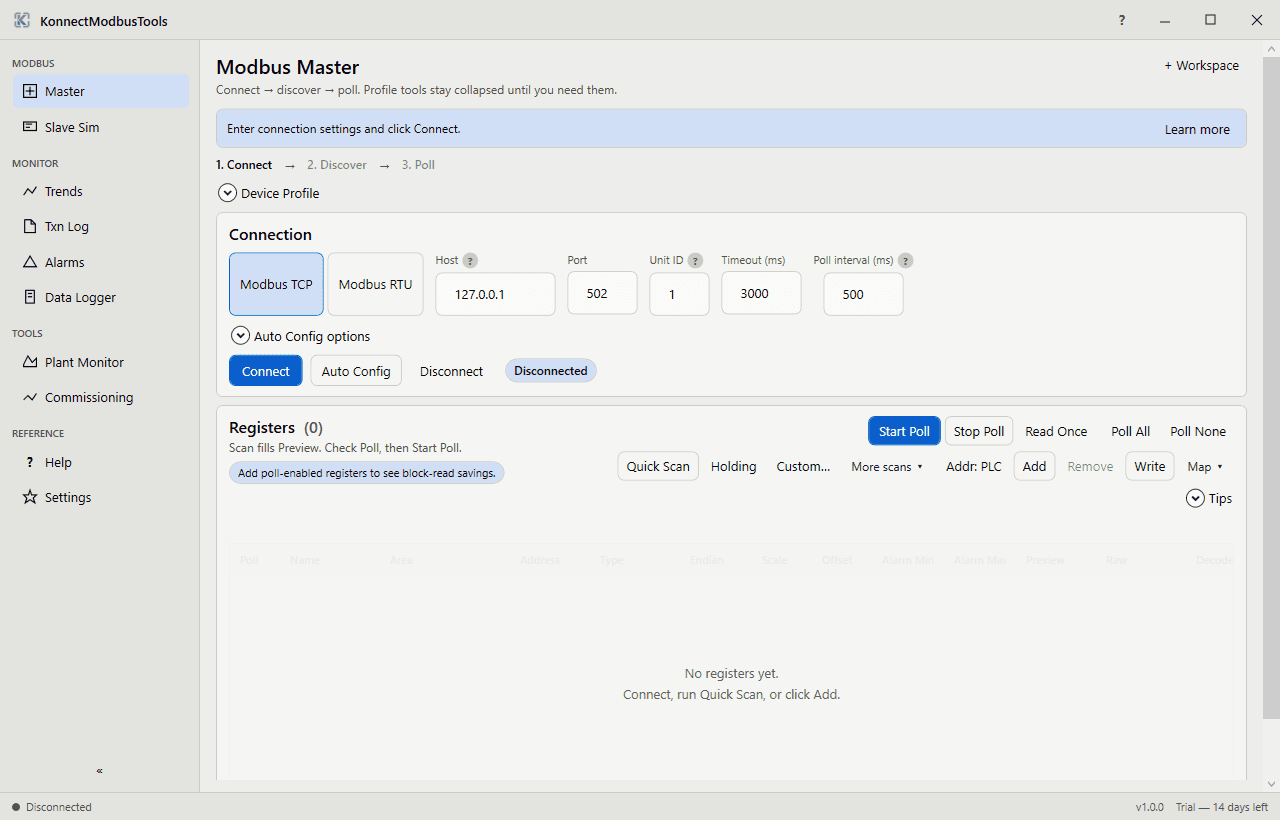
KonnectModbusTools Modbus Master connection and register workspace

Capabilities

  • Modbus Master for TCP and RTU with live read/write
  • Independent Slave Simulator for lab and FAT work
  • ScottPlot register trends and transaction log with CSV export
  • Saved connection profiles (.mbtprofile)
  • Optional CLI (mbt) for scripted checks
  • 14-day trial → Full license (node-locked, offline)

Typical plant jobs

  • Prove Modbus maps before PLC code is ready
  • Simulate a slave when the field device is offline
  • Capture frame-level logs for vendor support tickets
  • Trend registers during FAT and first-article runs

How teams use it

  1. 01

    Connect

    Open a TCP or RTU master session—or spin up the built-in slave simulator.

  2. 02

    Map registers

    Read and write coils and holding registers with live values on the bench.

  3. 03

    Trend and log

    Watch ScottPlot trends and export the transaction log when something looks wrong.

  4. 04

    Save the profile

    Reuse .mbtprofile files across jobs, or script checks with the optional CLI.

Product views

See it in the plant

KonnectModbusTools Modbus Master connection and register workspace

Tried it—ready for Full?

Submit a license request with your Machine ID. We will send payment instructions and an offline key.